Wednesday, October 28, 2009

Challenge Showcase Results: AUTUMN

Thanks to everyone who came out tonight and welcome to Emy and Kenny to the group! Enjoy the photos our members submitted in response to our latest photo challenge, AUTUMN.

Showcase Results:

Rain/Fall by Barry
Barry

Blue Eyes by Laura (tied with above)
Laura

Snow Geese by Justin
Justin

Road by Ellen
Ellen

Maple by Deb
Deb

Clothes Line by Paul (tied with above)
Paul

Pears by Laura
Laura

Lots of Leaves by Marcus & Chelsea
Marcus Chelsea

Path by Barry (tied with above)
Barry

Huge Leaf by Damien
Damien

River by Ellen
Ellen

Leafy Sidewalk by Henry
Henry

Bridge by Damien (tied with above)
Damien

Clothes Lines by Paul
Paul

Reflection by Henry
Henry

Challenge Showcase Results: ORANGE

Showcase challenge results:

Here are the photo submissions for our photo challenge "ORANGE". Thank you everyone for submitting these fabulous photos!

Headlamp by Ellen
Ellen

Dixie Cup by Laura
Laura

Fireshow by Paul
Paul

Buddha by Paul
Paul

Orange Fish by Justin
Justin

Belly Bride by Deb
Deb

Orange Fruits & Vegetables by Justin
Justin

Max by Deb (tied with above)
Deb

Basketball by Laura
Laura

Carrots by Ellen
Ellen

Sunset by Damien
Damien

Christmas in Australia by Damien
Damien

Wheel by Henry
Henry

Moccasin by Henry
Henry

Tuesday, September 8, 2009

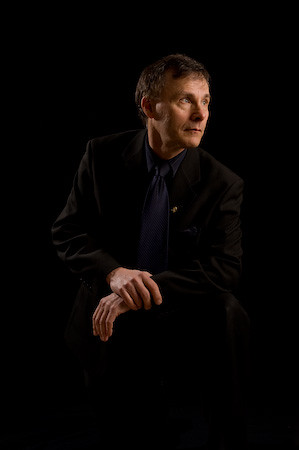
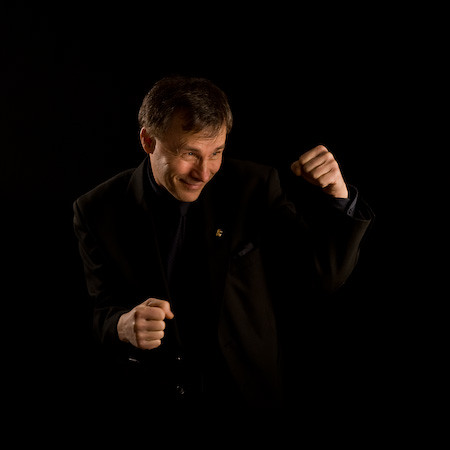
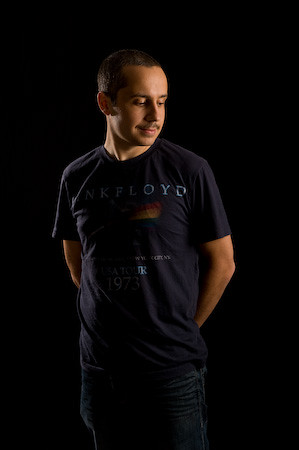
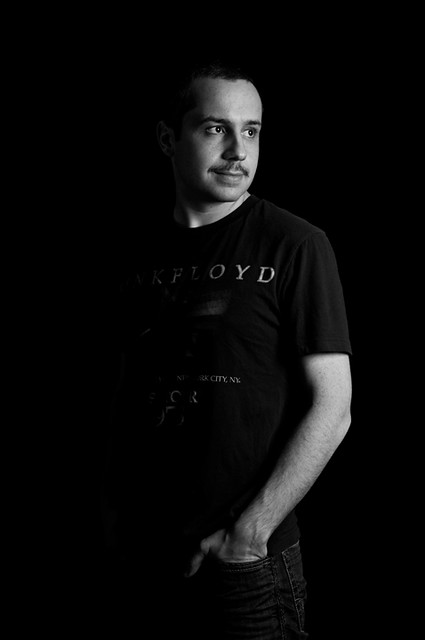
Photobooth

From Oakridge Block Party - Photo Booth


On Sunday, Sept 13th, the OAC Photo Club set up an exhibit at the 2009 Oakridge Block Party and offered a free photobooth for anyone who signs a model/web release.

If you had your photo taken at our Photo Booth, CLICK HERE to find your picture!


Thanks to everyone who came out! It was great meeting you and we had a lot of fun!

From Oakridge Block Party - Photo Booth


Here are just a few to get a taste of our photo booth. Be sure to look for YOUR PHOTO HERE!

From Oakridge Block Party - Photo Booth


From Oakridge Block Party - Photo Booth


From Oakridge Block Party - Photo Booth

Friday, September 4, 2009

Massive Blog Update

I haven't been able to update the blog all summer, so today I wrote a few posts to keep track of all the shooting we've been doing! Instead of the usual showcase one week then shooting the next, we decided to do more shooting in the past few months.

Take a peek at what we've been up to this summer:
June 17 - Photographing Water Droplets
June 24 - Photo showcase for print
July 1 - We took a break for Canada Day
July 8 - Portraits with Outdoor Flash
July 22 - Portraits with Indoor Flash
July 30 - Photowalk at QE Park
August 5 - Product Shots (not blogged yet)
August 12 - Portraits
August 19 - Photographing Smoke
August 26 - Maternity Portraits
September 2 - Light Painting

Wednesday, September 2, 2009

Workshop - Light Painting

One of our members, Justin, suggested we try light painting. He sent us a link to a video with instructions and ideas to start with. So, tonight that's what we did!

We suggest if you try this yourself, that you think of some ideas and images you'd like to create before setting everything up to get a basis for what you're like to achieve.

We started off with some simple light painting using our little LED flashlights. We outlined ourselves, drew some pictures, and then at the end of the workshop, we got a little more creative. We had one model, one person holding the external flash, one person with the flashlight for added drawing and one person manning all the cameras. With the exposure set to bulb (keep the shutter release button held down for as long as you want and release once the drawing is finished), we used the test flash button on the external flash to light the subject, then for the rest of the exposure in the dark, the one with the flashlight added drawings.

You can check out some of the images below:

Get the flash player here: http://www.adobe.com/flashplayer


We had a ton of fun!

Wednesday, August 26, 2009

Workshop - Maternity Portraits

We're fortunate enough to have two lovely ladies who are expecting their first child this year! Maternity photos are challenging because we want to bring focus to the fact that they are pregnant but still create beautiful portraits.

Here's just a sample of some of the photos we took that day and into the night where we brought out the external flashes!

maternity shoot

maternity shoot

Wednesday, August 19, 2009

Workshop - Photographing Smoke

This tutorial was originally published at Dolce Pics.


focal length: 50 mm
shutter speed: 1/160
aperture: f/9
ISO: 320
flash: fired off-camera to the right

Last night, our photo club set out to photograph smoke. You have probably seen beautiful images of the wispy subject before and perhaps even wondered how to do that yourself. Well, it's pretty simple actually.

Materials needed:


  • a few incense sticks

  • incense holder - eg. a jar of rice, playdough

  • black backdrop

  • external flash for use off-camera

  • trigger for flash - eg. pc sync cord, pocket wizards

  • black paper to flag your flash and prevent light spill

  • desk lamp

  • camera with manual controls

  • 50mm lens or longer

  • a well ventilated room


We set up our station as depicted above. I had a small, black fleece blanket that I taped to the wall. The desk lamp on the left served to light the smoke so we were able to focus on it. It might be best to focus manually in this case. The external flash was set to the right of the smoke. We had two systems going - one (SB-800) rigged with pocket wizards and one using (SB-600) to be triggered by my Nikon D300's built-in flash (set at zero power - set only to act as a commander).

The SB-800 had two black pieces of paper attached by rubber band on both sides of the flash head to prevent any light splashing onto the background and onto our lenses. The SB-600 had a very ghetto snoot(a black tube around the flash head) to do basically the same thing but the cone of light was more restricted.

Here's a shot of the SB-600 going off. You can see the light was well contained and aiming at the smoke slightly from behind and to the right.


Suggested Settings:

  • low ISO (eg. ISO 200) - for clean images

  • small aperture (eg. f/8 or smaller) - greater depth of field

  • fast shutter speed (eg. 1/160 or faster but below your high speed sync speed) - to freeze smoke

  • high flash power (eg. 1/4 or more powerful)


You can use that as a starting point and adjust your settings and flash power as you shoot.

Sometimes the simple wisps of smoke can be most striking.


Capture the tip of the incense stick for another focal point and wait for the smoke to rise like mini cyclones.


Add a human subject while still bringing focus to the smoke.


The great thing about flash photography is that your images probably need very little processing. The only changes I've made in Lightroom on most of my smoke images is a little boost in exposure and spot healing some bright spots of dust and ash to clean up the background. You can adjust your white balance in-camera or by using your editing program to change the colour of the smoke.

To get a completely different photo, invert the image (In Photoshop, Image > Adjustments > Invert) and then adjust the hue/saturation to get the colour you want.

From this:


To this:


So, what do you think? Isn't it worth giving it a try?

You may also be interested in:
How to photograph water drops

Followers

About This Blog

Vancouver, BC
OAC Photo Club, founded in January 2009 is open to anyone interested sharing, learning and honing their photography skills using digital SLR cameras. For more information, please contact oac[at]dolcepics[dot]com.

  © Blogger template 'Photoblog II' by Ourblogtemplates.com 2008

Back to TOP